From Fork to Framework, Part 5: Why Flutter Won the Frontend
One codebase for iOS, Android, web, and desktop. Flutter gave us platform parity in four days that would have taken months with separate native stacks.

The Problem: Family Safety Is Mobile-First
Family safety is inherently a mobile-first product. Parents monitor their children’s AI interactions from their phones during commutes, at dinner tables, and before bedtime. Administrators review usage dashboards from their desktops during business hours. A desktop-only web application was never going to serve the first use case. A mobile-only app would fail the second. We needed both, and we needed them to behave identically.
The naive approach is to build three separate frontends: a Swift app for iOS, a Kotlin app for Android, and a React application for the web. This path creates three codebases, three sets of UI bugs, three release cycles, and three teams that gradually diverge until the platforms offer different features. We have seen this pattern destroy product consistency at companies with far more engineering resources than ours. The alternative is a cross-platform framework that produces native binaries from a single codebase. The question was which one.
Why Flutter, Not React Native
We evaluated Flutter and React Native side by side against a specific set of requirements: native mobile performance, first-party web support, desktop support, and a rendering model that guarantees visual consistency across every platform. The comparison was decisive.
| Criterion | Flutter | React Native |
|---|---|---|
| Platform coverage | iOS, Android, Web, macOS, Windows, Linux | iOS, Android (web and desktop are community-maintained) |
| Code reuse | ~95% across all platforms | ~85-90% across mobile; web requires significant divergence |
| Rendering engine | Impeller (own engine, pixel-perfect) | Platform-native components via bridge |
| Compilation | Dart AOT to native machine code | JavaScript via Hermes, bridged to native |
| Web support | First-party, ships with SDK | React Native Web exists but is not officially maintained |
| Desktop support | First-party, stable | Experimental, community-driven |
| Hiring pool | Smaller (Dart is less common) | Larger (JavaScript/React developers) |
React Native’s architecture bridges JavaScript to platform-native UI components. This means your app looks native on each platform, but it also means it looks different on each platform. A button renders as a UIButton on iOS and a MaterialButton on Android. For a consumer social app, that platform-native feel is a feature. For an enterprise safety product where a parent and an administrator must see the exact same interface regardless of device, it is a liability. React Native’s web and desktop stories are also community-maintained rather than first-party, which introduces dependency risk for platforms we consider essential, not optional.
Flutter takes the opposite approach. It ships its own rendering engine, Impeller, which draws every pixel directly to a Skia or Impeller-backed canvas. The framework does not depend on platform UI components at all. This means a Flutter app looks identical on iOS, Android, web, macOS, Windows, and Linux. Dart compiles ahead-of-time to native ARM machine code on mobile, eliminating the JavaScript bridge entirely. There is no interpreter, no JIT warmup in production, and no bridge serialization overhead. The result is 120 FPS rendering that feels indistinguishable from a native app because, at the binary level, it is one.
Four Days From Zero to Feature-Complete
The strongest evidence for Flutter is not a benchmark. It is a commit log.
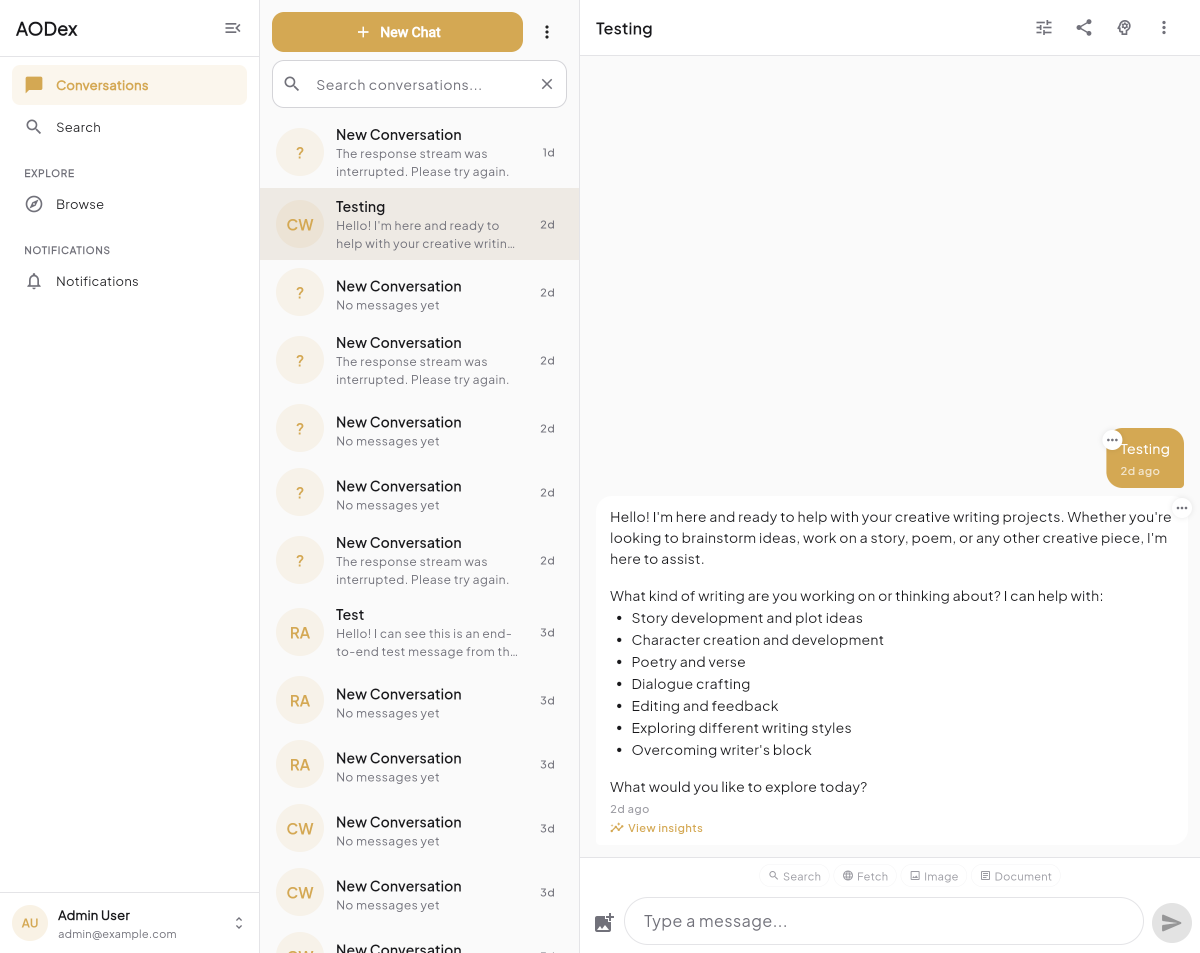
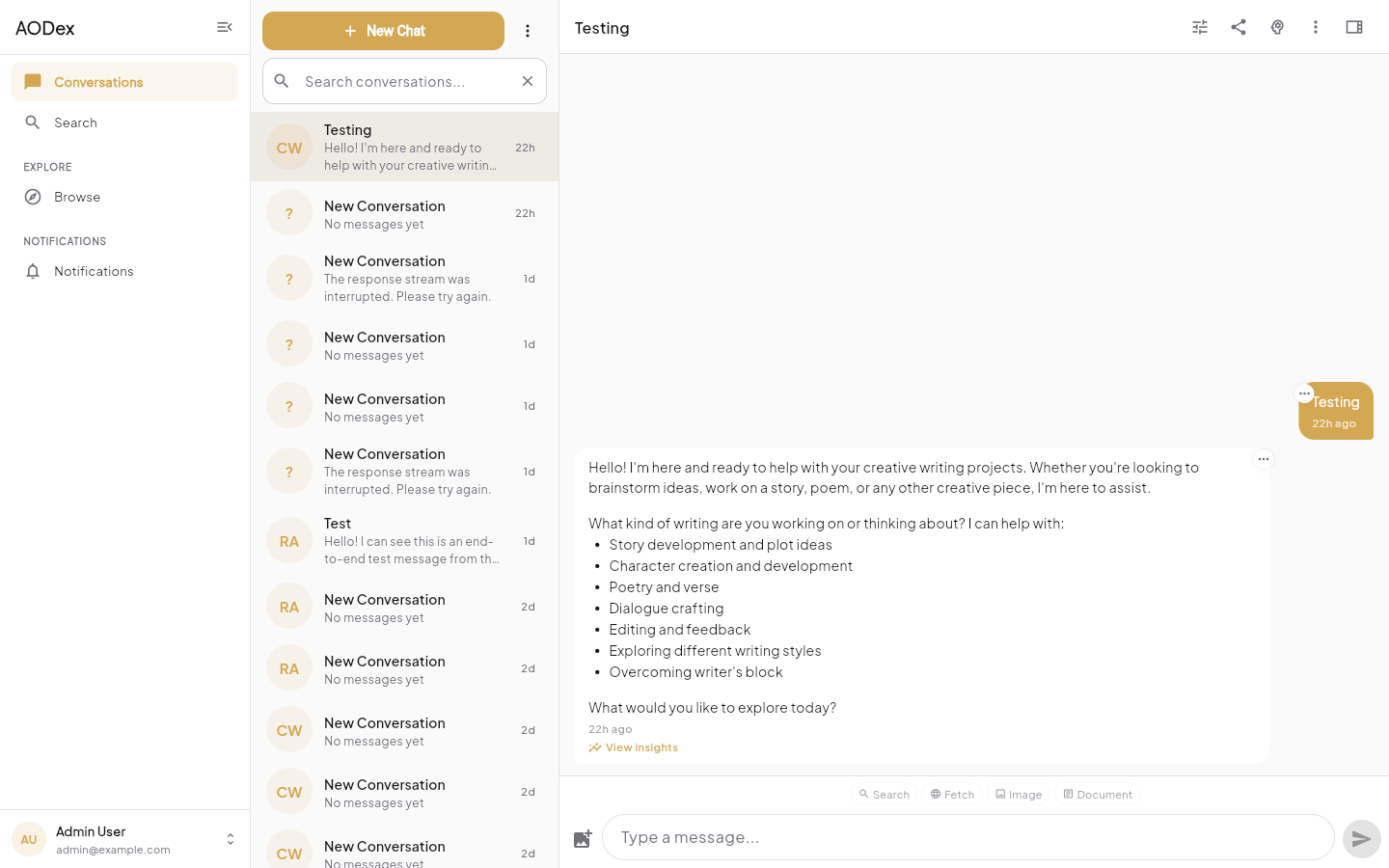
AODex Flutter, our primary client application, went from docs: initialize project to a feature-complete production app in four days, March 8 through March 12. In 118 commits across the full development period (March 8 to March 24), we shipped:
- Authentication with OAuth flows and two-factor support
- Real-time chat streaming with server-sent events
- Persona browsing and selection across AI models
- Project management with create, edit, archive, and collaboration
- Team management with invitations and role assignment
- Knowledge base browsing with document previews
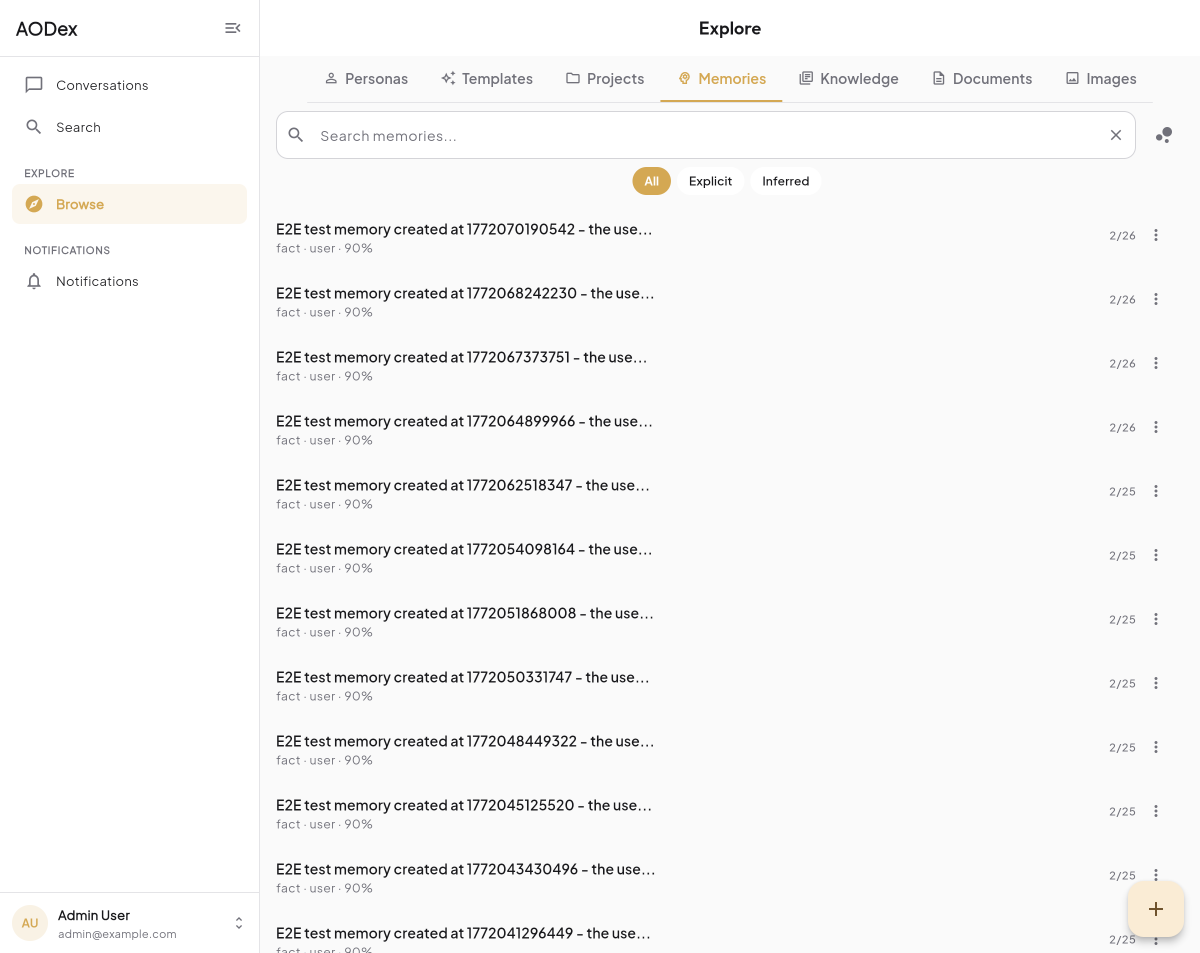
- Memory tracking for persistent AI context
- Notification management with real-time updates
- Settings with profile, preferences, and security configuration
- Billing with subscription management and usage tracking
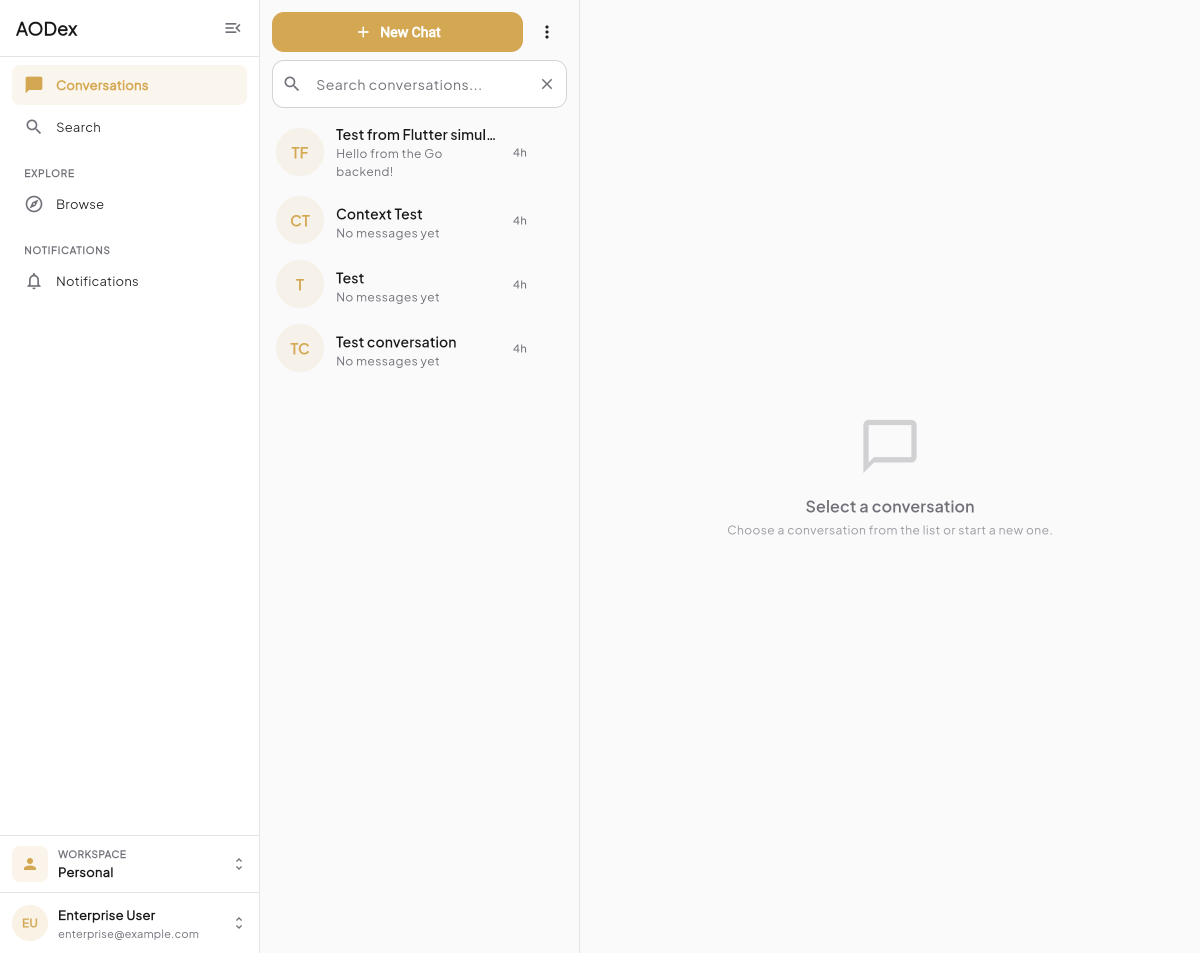
This was not a prototype. It was deployed to Cloudflare Pages for the web and built natively for iOS and Android. The same application, the same features, the same UI, running on every platform from a single Dart codebase with approximately 95 percent code reuse. The remaining 5 percent consists of platform-specific adaptations: file pickers that use the native system dialog, notification permission flows that differ between iOS and Android, and keyboard handling adjustments for desktop.
The Architecture
The single-codebase model only works if the architecture is disciplined. A Flutter project that mixes platform logic with business logic will eventually collapse under its own weight. Our architecture enforces clean separation through layers and through the package ecosystem we built around it.
Eden UI Flutter: The Design System
We built Eden UI Flutter as a standalone design system package containing over 50 widgets and six brand presets. This was a direct lesson from our Svelte phase, where we depended on Flowbite Svelte Pro and found ourselves constrained by a third-party component API that did not match our design language. Eden UI Flutter uses Tailwind-inspired design tokens for spacing, typography, and color. Each brand preset (AODex, AOFamily, Eden Circle, AOHealth, and others) defines its own color palette and typographic scale while sharing the same underlying component library. Six commits produced the entire system because we designed it as a pure presentation layer with zero business logic and zero network dependencies.
Riverpod 3.0: State Management With Compile-Time Safety
State management in cross-platform apps is where most teams accumulate technical debt. Provider, Flutter’s original dependency injection solution, works but relies on runtime type lookups that fail silently. Riverpod 3.0 replaces this with compile-time provider dependency checking. If a provider references another provider that does not exist or has an incompatible type, the analyzer catches it before compilation. Riverpod also provides lazy initialization, meaning providers are only created when first accessed, and automatic disposal, meaning they are destroyed when no longer observed. In our benchmarks, Riverpod’s memory footprint runs 20 to 25 percent lower than the equivalent Provider setup, primarily because unused providers are actually cleaned up rather than persisting for the application lifetime.
GoRouter: Navigation and Deep Linking
GoRouter handles declarative routing with deep link support across all platforms. A user can share a URL to a specific project or conversation, and the app navigates directly to it whether opened on iOS, Android, or the web. This is table-stakes for a web app but surprisingly difficult to achieve in mobile frameworks. GoRouter’s redirect guards also integrate with our authentication state, ensuring unauthenticated users are routed to login regardless of the deep link they followed.
Freezed: Immutable Models via Code Generation
Every data model in the application is generated by Freezed, which produces immutable Dart classes with value equality, serialization, and pattern matching from a single annotated class definition. This eliminates an entire category of bugs where mutable model objects are accidentally modified in one part of the widget tree and unexpectedly change behavior elsewhere. Freezed models are the Dart equivalent of Go structs: plain data containers with no hidden behavior.
Deployment: One Build Pipeline, Every Platform
The web build deploys to Cloudflare Pages, giving us edge-cached delivery in over 300 cities with zero origin server management. The native iOS and Android builds go through standard platform pipelines. Because Flutter compiles Dart to native machine code via AOT compilation, there is no JavaScript runtime, no V8 instance, and no bridge overhead in the final binary. The web build compiles to optimized JavaScript (or WebAssembly for performance-critical paths), which is a different compilation target but the same source code.
The deployment matrix looks deceptively simple for what it achieves. One flutter build command with a target flag produces a binary for any platform. CI runs the same test suite against the same codebase regardless of target. A bug fix merged to main ships to every platform simultaneously.
The Trade-Offs We Accepted
Every architectural decision involves trade-offs, and intellectual honesty demands we name them.
Smaller hiring pool. Dart is not JavaScript. The pool of experienced Flutter developers is meaningfully smaller than the pool of React or React Native developers. We mitigate this by recognizing that Dart is syntactically close to Java, Kotlin, and TypeScript. Experienced developers from any of those ecosystems become productive in Dart within days, not weeks. The language is simple by design.
No server-side rendering. Flutter web does not support SSR. For a marketing site, this would be disqualifying because search engine optimization depends on server-rendered HTML. We solve this by using Hugo, a static site generator, for our marketing pages. The Flutter app is the authenticated product experience, not the landing page. Users do not discover our product through the Flutter app; they discover it through the Hugo site and then log in to Flutter.
Larger initial web bundle. Flutter web ships the Impeller rendering engine as part of the application bundle, which makes the initial download larger than a comparable React application. For a SaaS product where users log in and stay for extended sessions, the initial load cost is amortized over hours of usage. For a content site where users bounce after reading one page, this would be unacceptable. Our product is the former.
Platform UI conventions. Because Flutter renders its own pixels, it does not automatically adopt platform-specific conventions like iOS swipe-to-go-back gestures or Android material ripple effects. We implement these explicitly where they matter and accept minor deviations where they do not. Users of our product care that it works consistently across their devices, not that it matches every platform convention pixel-for-pixel.
The Lesson
In Part 4, we explained why Go won the backend: goroutines, type safety, and 10-megabyte containers. Flutter won the frontend for the same underlying reason: a single compilation target that eliminates an entire class of problems. Go eliminates the concurrency problems inherent in Python and Ruby. Flutter eliminates the platform-divergence problems inherent in native development and the bridge-overhead problems inherent in React Native.
The combination is more powerful than either technology alone. Go produces a single binary for the server. Flutter produces a single codebase for every client. The contract between them, which we will cover in Part 6, is defined in Protocol Buffers and enforced at compile time on both sides. There is no hand-written glue code, no REST model that drifts from the implementation, and no runtime type mismatch that reaches production.
When your product must work equally well in a parent’s hand and on an administrator’s desktop, Flutter is not just convenient. It is correct.